

Integrate Decodable with Tiger Cloud
Build and manage real-time data pipelines to stream and process your data effortlessly
Decodable is a real-time data platform that allows you to build, run, and manage data pipelines effortlessly.
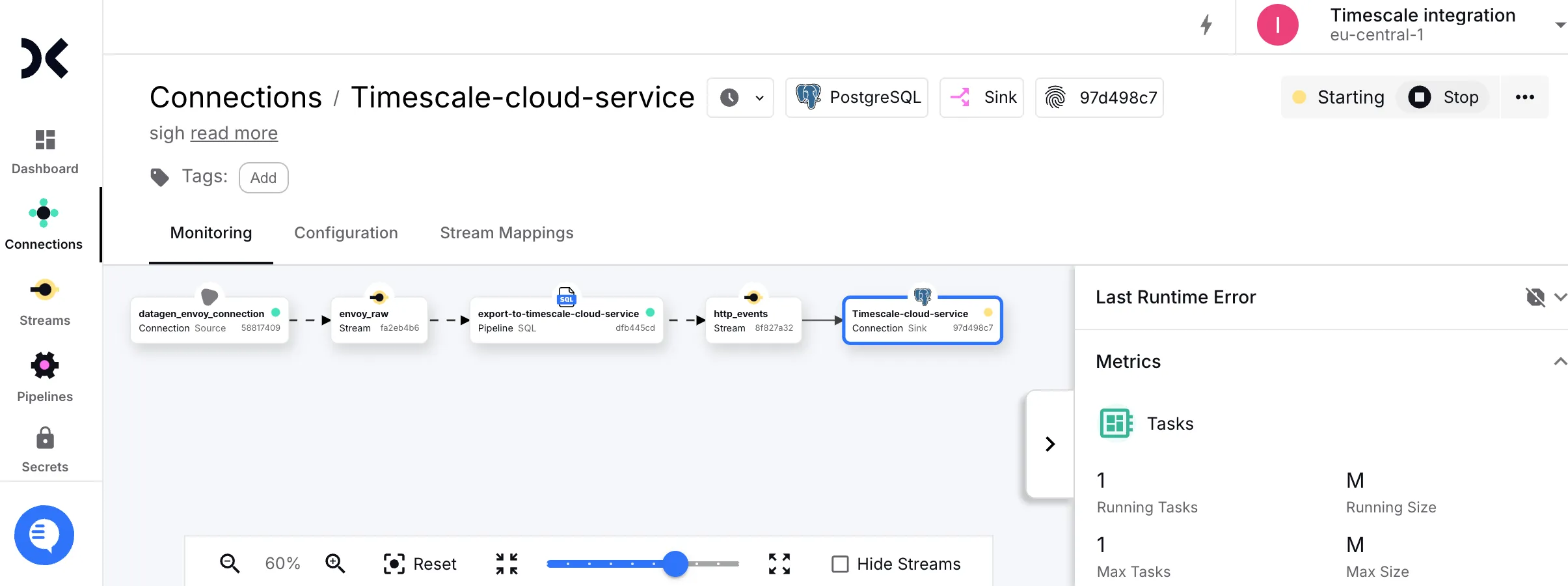
This page explains how to integrate Decodable with your Tiger Cloud service to enable efficient real-time streaming and analytics.
Prerequisites
Section titled “Prerequisites”To follow the procedure on this page you need to:
-
Create a target Tiger Cloud service.
This procedure also works for self-hosted TimescaleDB.
-
Sign up for Decodable.
This page uses the pipeline you create using the Decodable Quickstart Guide.
Connect Decodable to your service
Section titled “Connect Decodable to your service”To stream data gathered in Decodable to a Tiger Cloud service:
-
Create the sync to pipe a Decodable data stream into your Tiger Cloud service
-
Log in to your Decodable account.
-
Click
Connections, then clickNew Connection. -
Select a
PostgreSQL sinkconnection type, then clickConnect. -
Using your connection details, fill in the connection information.
Leave
schemaandJDBC optionsempty. -
Select the
http_eventssource stream, then clickNext.Decodable creates the table in your Tiger Cloud service and starts streaming data.
-
-
Test the connection
-
Connect to your Tiger Cloud service.
For Tiger Cloud, open an SQL editor in Tiger Console. For self-hosted TimescaleDB, use
psql. -
Check the data from Decodable is streaming into your Tiger Cloud service.
SELECT * FROM http_events;You see something like:
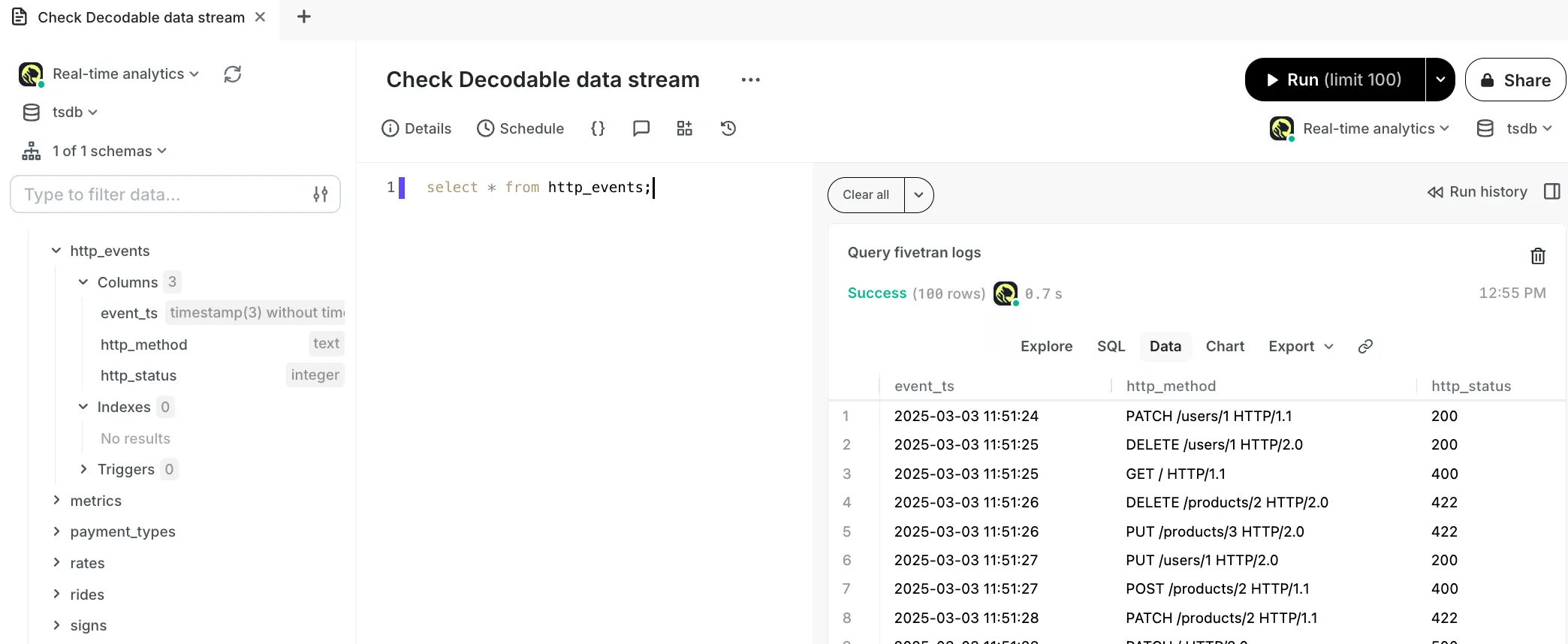
-
You have successfully integrated Decodable with Tiger Cloud.