

Integrate qStudio with Tiger Cloud
Connect to your Tiger Cloud service and visualize your data with qStudio
qStudio is a modern free SQL editor that provides syntax highlighting, code-completion, excel export, charting, and much more. You can use it to run queries, browse tables, and create charts for your Tiger Cloud service.
This page explains how to integrate qStudio with Tiger Cloud.
Prerequisites
Section titled “Prerequisites”To follow the procedure on this page you need to:
-
Create a target Tiger Cloud service.
This procedure also works for self-hosted TimescaleDB.
- Download and install qStudio.
Connect qStudio to your service
Section titled “Connect qStudio to your service”To connect to Tiger Cloud:
-
Start qStudio
-
Click
Server>Add Server -
Configure the connection
- For
Server Type, selectPostgres. - For
Connect By, selectHost. - For
Host,Port,Database,Username, andPassword, use your connection details.
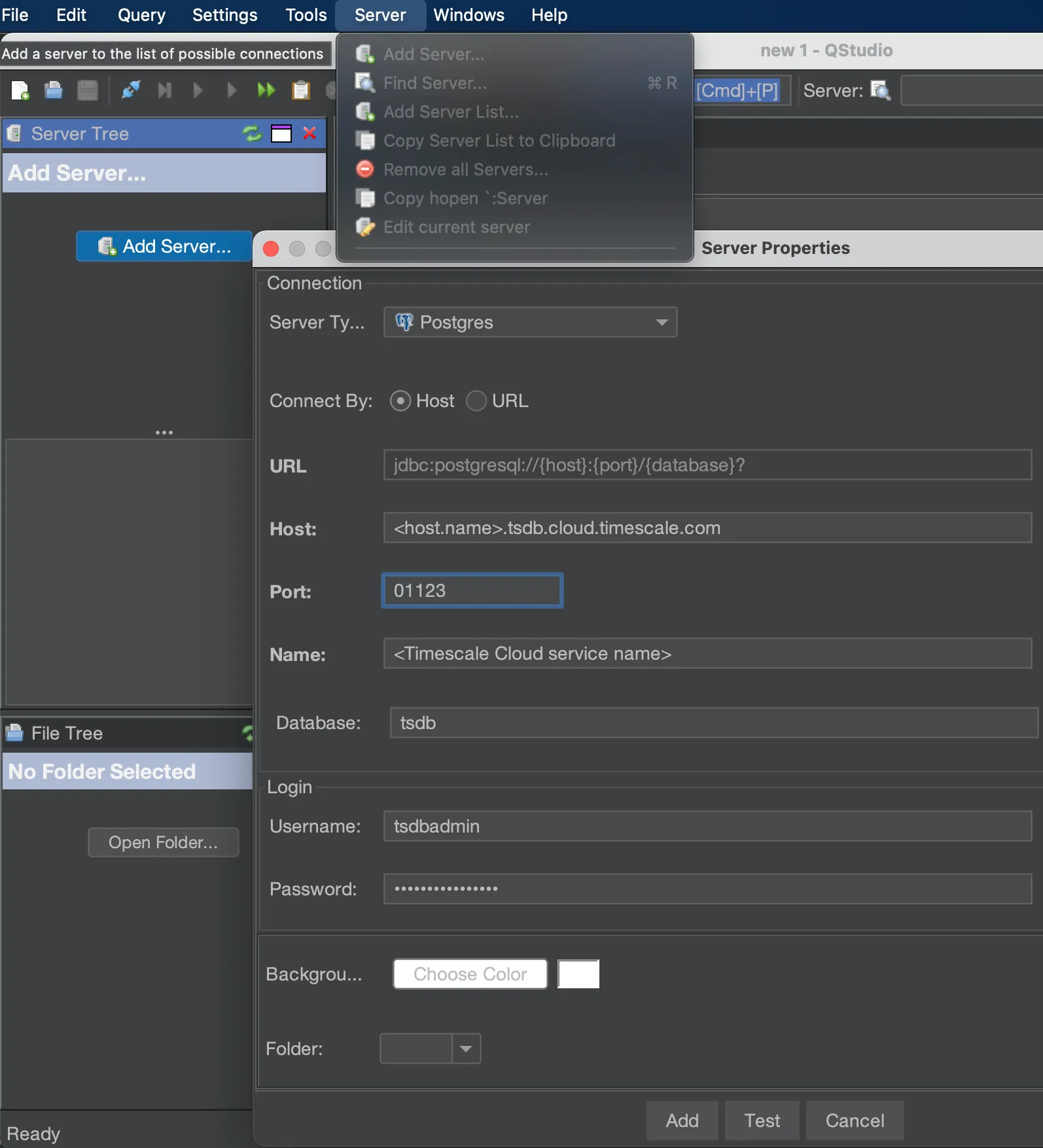
- For
-
Click
TestqStudio indicates whether the connection works.
-
Click
AddThe server is listed in the
Server Tree.
You have successfully integrated qStudio with Tiger Cloud.