

Integrate DBeaver with Tiger Cloud
Manage and query your data with a cross-platform SQL editor and administration tool
DBeaver is a free cross-platform database tool for developers, database administrators, analysts, and everyone working with data. DBeaver provides an SQL editor, administration features, data and schema migration, and the ability to monitor database connection sessions.
This page explains how to integrate DBeaver with your Tiger Cloud service.
Prerequisites
Section titled “Prerequisites”To follow the procedure on this page you need to:
-
Create a target Tiger Cloud service.
This procedure also works for self-hosted TimescaleDB.
- Download and install DBeaver.
Connect DBeaver to your service
Section titled “Connect DBeaver to your service”To connect to Tiger Cloud:
-
Start
DBeaver -
In the toolbar, click the plug+ icon
-
In
Connect to a databasesearch forTimescaleDB -
Select
TimescaleDB, then clickNext -
Configure the connection
Use your connection details to add your connection settings.
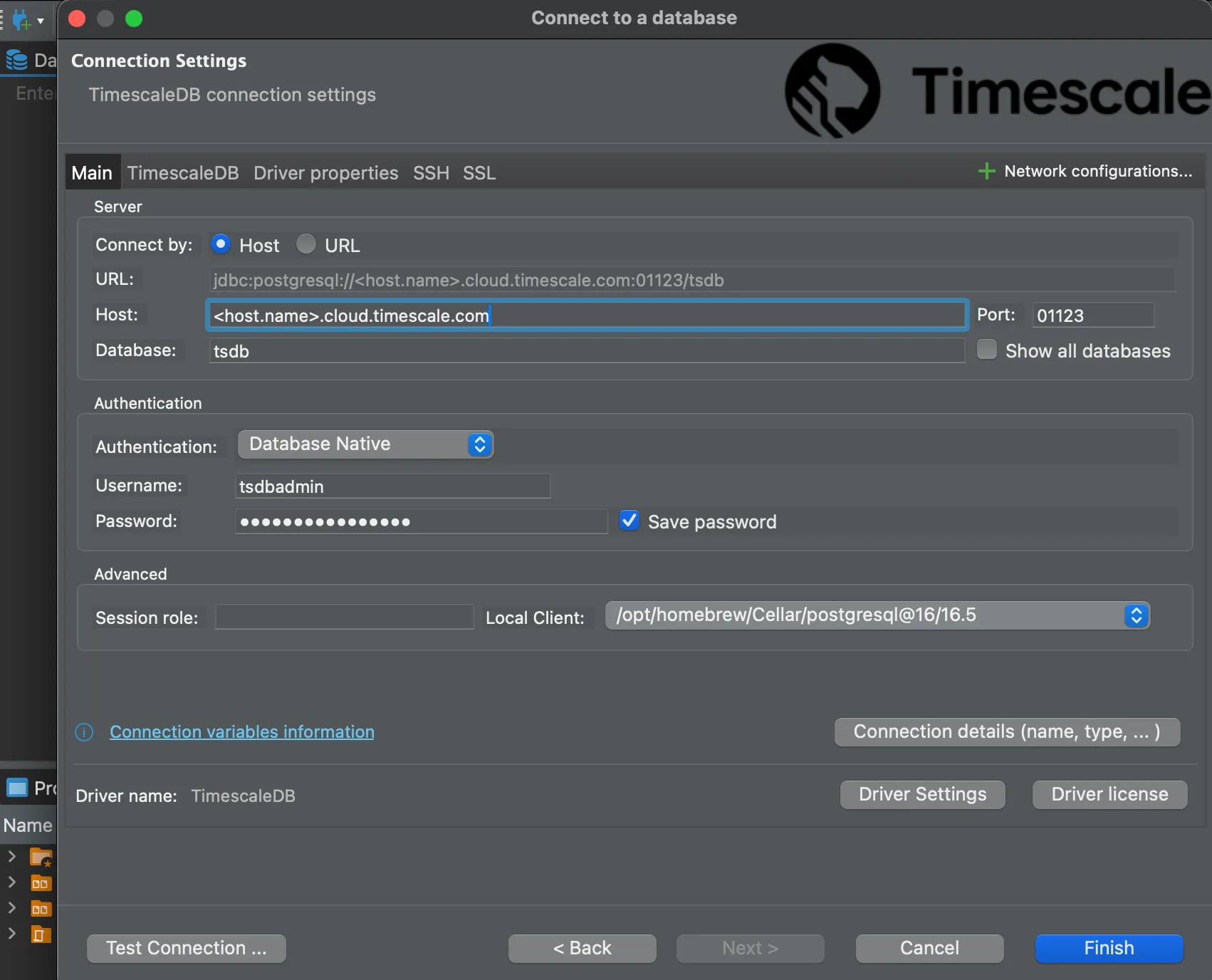
If you configured your service to connect using a stricter SSL mode, in the
SSLtab checkUse SSLand setSSL modeto the configured mode. Then, in theCA Certificatefield type the location of the SSL root CA certificate. -
Click
Test Connection. When the connection is successful, clickFinishYour connection is listed in the
Database Navigator.
You have successfully integrated DBeaver with Tiger Cloud.