

Send metrics to Datadog
Collect Datadog metrics on your Managed Service for TimescaleDB service
Datadog is a popular cloud-based monitoring service. You can send metrics to Datadog using a metrics collection agent for graphing, service dashboards, alerting, and logging. Managed Service for TimescaleDB (MST) can send data directly to Datadog for monitoring. Datadog integrations are provided free of charge on Managed Service for TimescaleDB.
You need to create a Datadog API key, and use the key to enable metrics for your Managed Service for TimescaleDB service.
Datadog logging is not currently supported on MST.
Before you begin
Section titled “Before you begin”- Created a Managed Service for TimescaleDB service.
- Signed up for Datadog, and can log in to your Datadog dashboard.
- Created an API key in your Datadog account. For more information about creating a Datadog API key, see Datadog API and Application Keys.
Upload a Datadog API key
Section titled “Upload a Datadog API key”To integrate MST with Datadog you need to upload the API key that you generated in your Datadog account to MST.
- Navigate to
Integration EndpointsIn MST Console, choose the project you want to connect to Datadog, and click
Integration Endpoints. - Create a new Datadog endpoint
Select
Datadog, then chooseCreate new.In
Add new Datadog service integration, complete these details:- In the
Endpoint integrationsection, give your endpoint a name, and paste the API key from your Datadog dashboard. Ensure you choose the site location that matches where your Datadog service is hosted. - Optional: In the
Endpoint tagssection, you can add custom tags to help you manage your integrations.
Click
Add endpointto save the integration.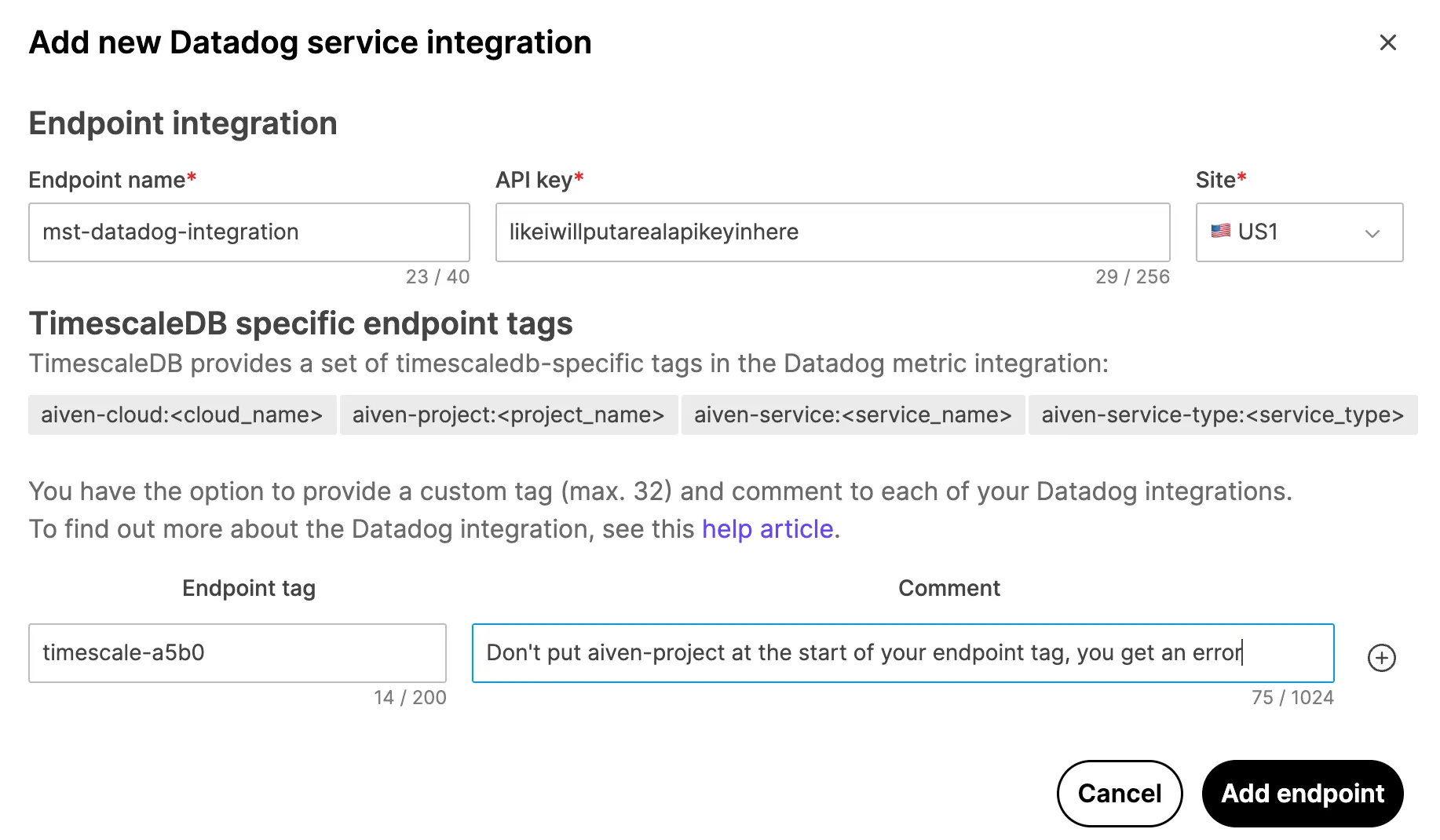
- In the
Activate Datadog integration for a MST service
Section titled “Activate Datadog integration for a MST service”When you have successfully added the endpoint, you can set up one of your MST services to send data to Datadog.
- Select the service
Sign in to MST Console, navigate to
Services, and select the MST service you want to monitor. - Enable Datadog Metrics
In the
Integrationstab, go toExternal integrationssection and selectDatadog Metrics. In theDatadog integrationdialog, select the Datadog endpoint that you created and clickEnable.The Datadog endpoint is listed under
Enabled integrationsfor the Managed Service for TimescaleDB service.
Datadog dashboards
Section titled “Datadog dashboards”When you have your Datadog integration set up successfully, you can use the Datadog dashboard editor to configure your visualizations. For more information, see the Datadog Dashboard documentation.