

Advanced parameters
Tune advanced PostgreSQL parameters for your Tiger Cloud service in Tiger Console
It is possible to configure a wide variety of Tiger Cloud service database parameters by
navigating to the Advanced parameters tab under the Database configuration heading. The advanced parameters are displayed in a scrollable and searchable list.
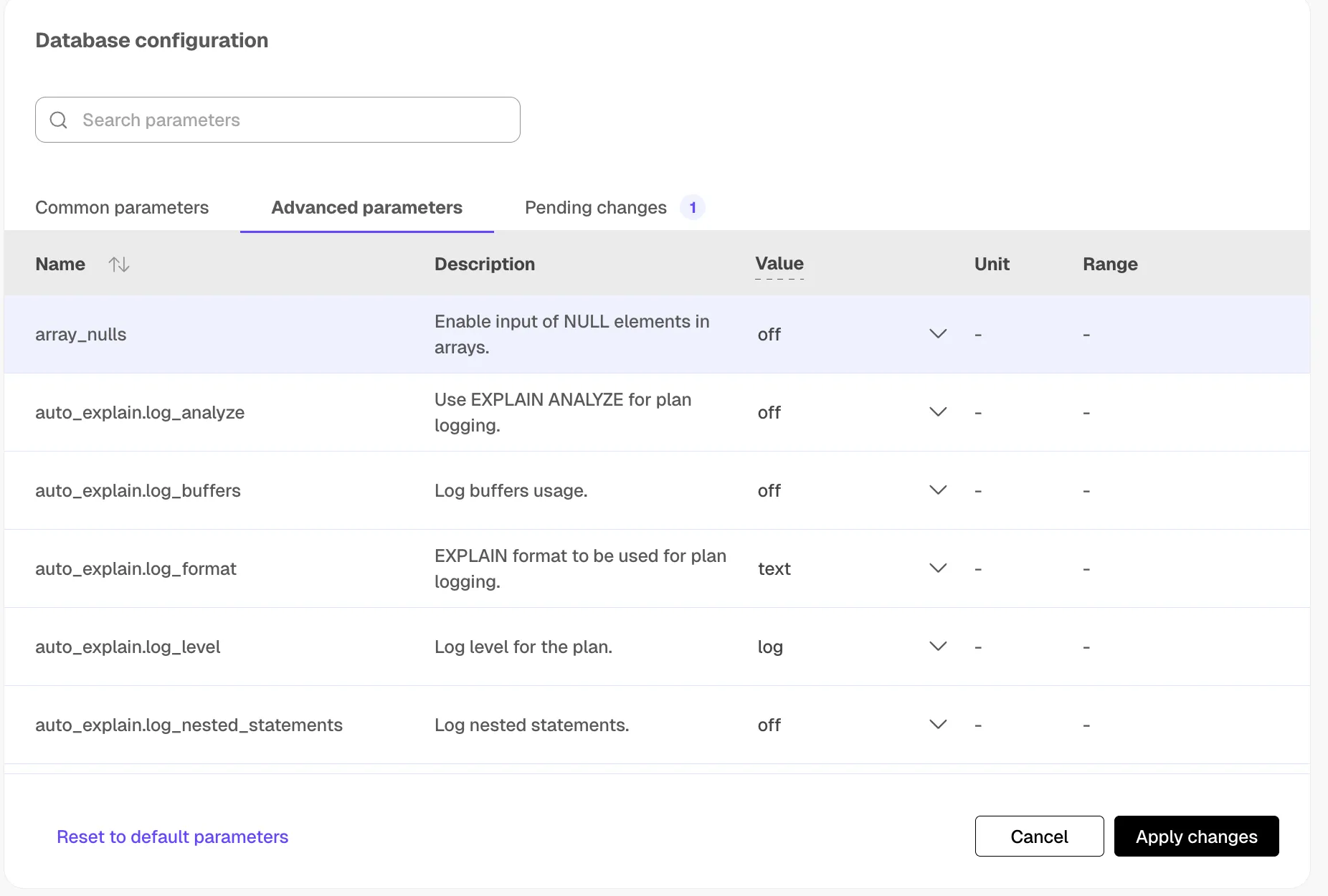
As with the basic database configuration parameters, any changes are highlighted
and the Apply changes, or Apply changes and restart, button is available,
prompting you to confirm changes before the service is modified.
Commonly tuned parameters
These are some of the most frequently adjusted parameters available in the Advanced parameters tab:
max_locks_per_transaction: maximum number of object locks per transaction. Increase this if you seeout of shared memoryerrors, especially with hypertables that have many chunks. See Transaction lock settings for sizing guidance.shared_buffers: amount of memory used for shared memory buffers. A good starting point is 25% of total system memory.work_mem: amount of memory used by internal sort operations and hash tables before writing to temporary disk files.maintenance_work_mem: maximum memory for maintenance operations such asVACUUMandCREATE INDEX.max_connections: maximum number of concurrent connections to the database.timescaledb.max_background_workers: maximum background workers allocated to TimescaleDB. Set to at least 1 + the number of databases in the instance.
For a complete list of available parameters, see the Grand Unified Configuration (GUC) parameters reference. For detailed tuning guidance, see Configuration parameters.
Multiple databases
To create more than one database, you need to create a new service for each database. Tiger Cloud does not support multiple databases within the same service. Having a separate service for each database affords each database its own isolated resources.
You can also use schemas to organize tables into logical groups. A single database can contain multiple schemas, which in turn contain tables. The main difference between isolating with databases versus schemas is that a user can access objects in any of the schemas in the database they are connected to, so long as they have the corresponding privileges. Schemas can help isolate smaller use cases that do not warrant their own service.
Please refer to the Grand Unified Configuration (GUC) parameters for a complete list.
Policies
timescaledb.max_background_workers (int)
Max background worker processes allocated to TimescaleDB. Set to at least 1 + the number of databases loaded with the TimescaleDB extension in a PostgreSQL instance. Default value is 16.
Tiger Cloud service tuning
timescaledb.disable_load (bool)
Disable the loading of the actual extension