

Configure database parameters
Customize PostgreSQL and Tiger Cloud configuration options per service
Tiger Cloud allows you to customize many Tiger Cloud-specific and PostgreSQL configuration options for each service individually. Most configuration values for a service are initially set in accordance with best practices given the compute and storage settings of the service. Any time you increase or decrease the compute for a service, the most essential values are set to reflect the size of the new service.
You can modify most parameters without restarting the service. However, some changes do require a restart, resulting in some brief downtime that is usually about 30 seconds. An example of a change that needs a restart is modifying the compute resources of a running service.
View service operation details
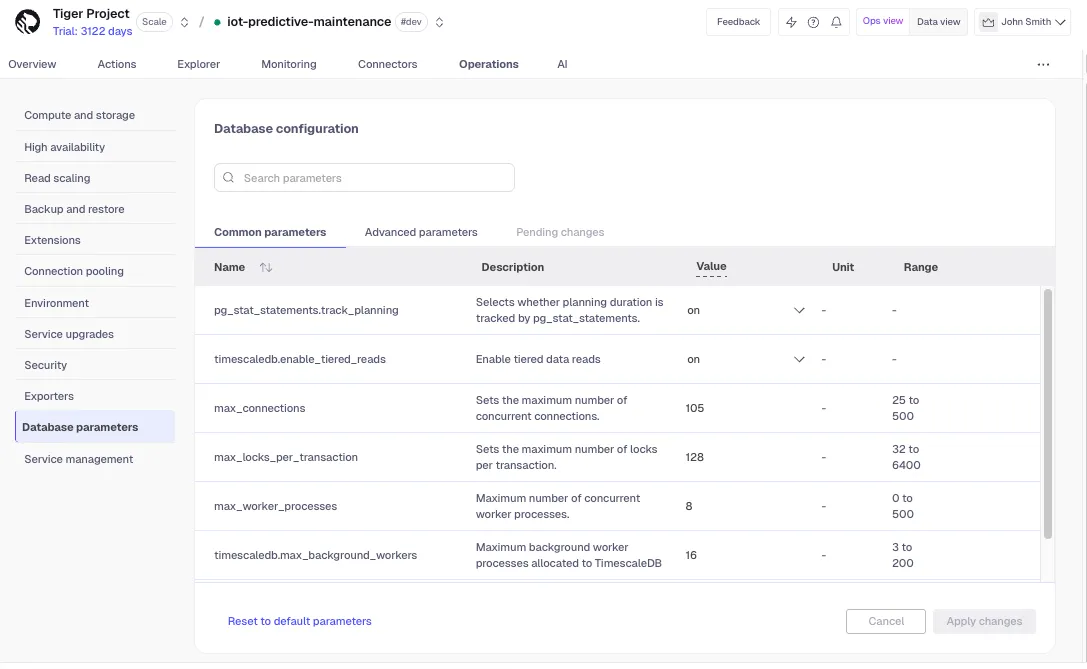
To modify configuration parameters, first select the service that you want to
modify. This displays the service details, with these tabs across the top:
Overview, Actions, Explorer, Monitoring, Connections, Operations, and AI. Select Operations, then Database parameters.
Modify basic parameters
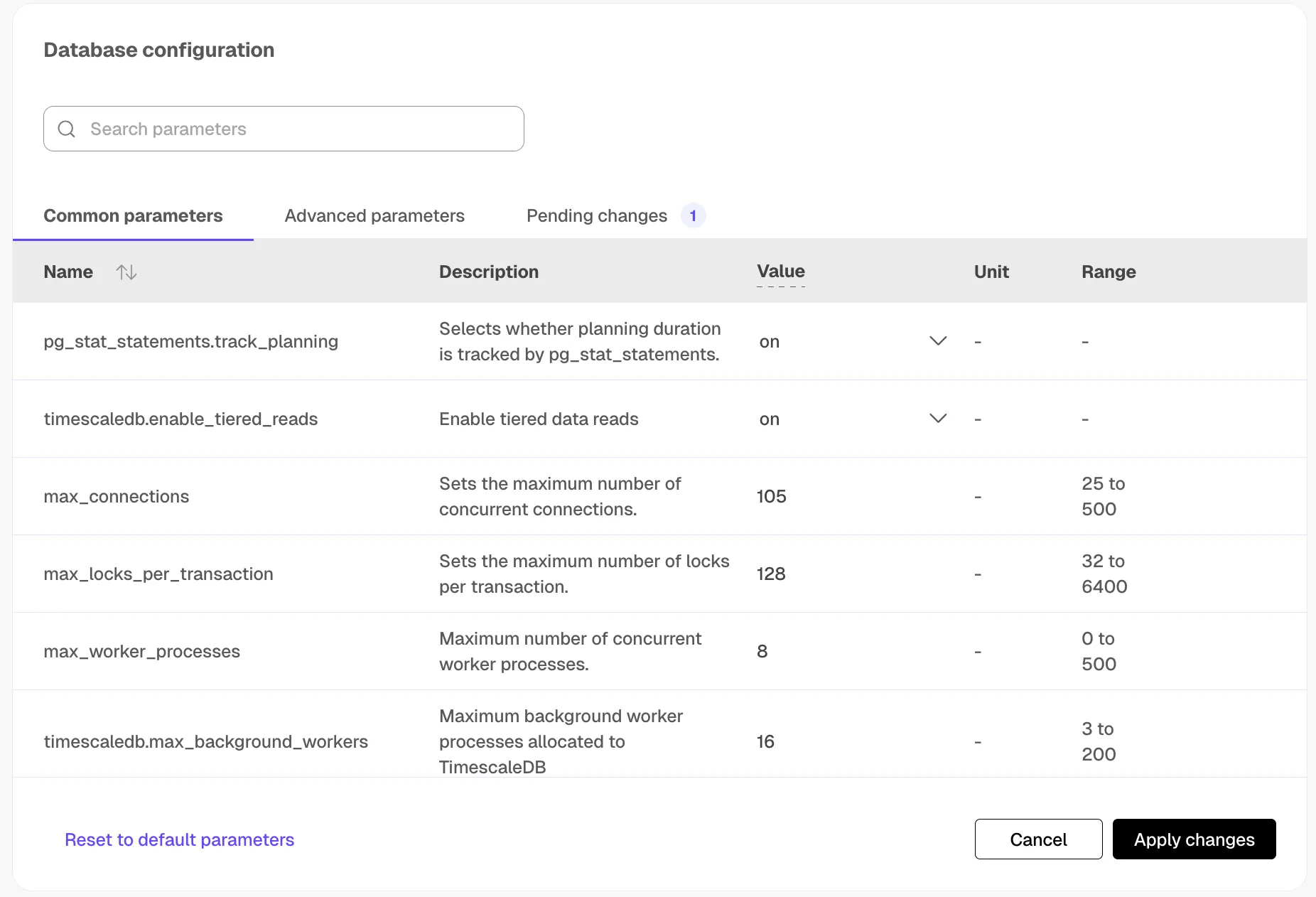
Under the Common parameters tab, you can modify a limited set of the
parameters that are most often modified in a Tiger Cloud or PostgreSQL instance.
To modify a configured value, hover over the value and click the revealed pencil
icon. This reveals an editable field to apply your change. Clicking anywhere
outside of that field saves the value to be applied.
Apply configuration changes
When you have modified the configuration parameters that you would like to
change, click Apply changes. For some changes, such as
timescaledb.max_background_workers, the service needs to be restarted. In this
case, the button reads Apply changes and restart.
A confirmation dialog is displayed which indicates whether a restart is
required. Click Confirm to apply the changes, and restart if necessary.